
ChatDocX AI Chatbot SaaS Platform Development Case Study
ChatDocX is a custom AI chatbot SaaS platform that enables businesses to build intelligent ChatGPT-powered assistants trained using their own documents, websites, and knowledge base. Organizations can upload PDFs, Word documents, text files, or crawl their website, allowing the chatbot to answer customer questions with accurate, context-aware responses in just a few minutes.
The platform enables businesses to deploy AI chatbots on websites, intranets, customer portals, and online stores using a simple JavaScript snippet or iframe. It includes chatbot customization, subscription management, AI model selection, billing, analytics, and user management through a centralized administration dashboard.
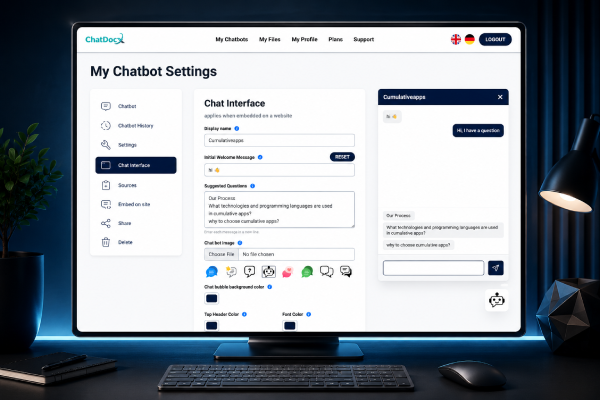
Project Highlights
Services Included
- AI Development & Automation
Project Duration
Team Composition
- 1 Frontend Developer (UI/UX)
- 2 Full-Stack Developers
- 1 AI Solutions Consultant
Industry
- Industry Artificial Intelligence (AI)
- SaaS Software
- Customer Support Automation
AI & Intelligence
- OpenAI API
- ChatGPT
- LangChain
- Document Indexing
- Embedding Generation
- Vector Search
- Smart Knowledge Retrieval
- Prompt Engineering
Integrations
- Stripe Payment Gateway
- REST APIs
- JavaScript Embed
- Iframe Integration
Technology Stack & AI Architecture
- React.js
- Redux
- Node.js
- Express.js
- MongoDB
Infrastructure & DevOps
- Ubuntu
- Nginx
- SSL
- Git
- GitHub
- Trello
The Business Challenge & Our Solution
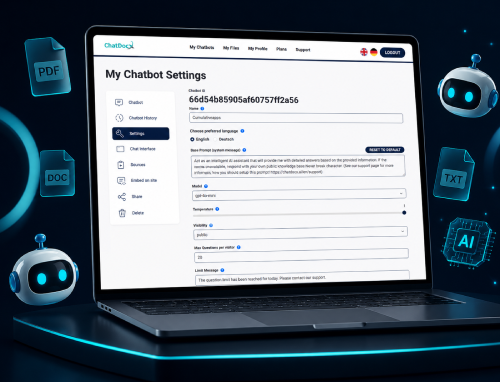
The Opportunity
Following the launch of ChatGPT, one of our long-term clients envisioned a SaaS platform that would allow businesses to create AI chatbots trained on their own documents and websites. The objective was to make advanced AI accessible without requiring technical expertise or custom development.
The Challenge
Building an AI chatbot platform involves far more than connecting to the OpenAI API. The platform needed to:
- Process documents of different formats
- Crawl websites automatically
- Generate accurate AI responses
- Reduce hallucinations
- Handle multiple customers securely
- Support subscription billing
- Deliver fast response times
Creating a scalable multi-tenant SaaS platform while maintaining response quality presented significant technical challenges.
Our Analysis
After evaluating the requirements, we identified that a Retrieval-Augmented Generation (RAG) architecture would provide the most accurate results.
We designed a pipeline capable of:
This approach improved response quality while reducing AI hallucinations.
Our Solution
We developed a complete AI chatbot platform featuring:
Results
The completed platform allows businesses to launch AI assistants within minutes instead of weeks while maintaining centralized management, subscription billing, and accurate AI-powered conversations.
Plateform Capabilities
ChatDocX provides everything businesses need to build, train, manage, and deploy AI-powered chatbots through a single, centralized platform.
AI Knowledge Training
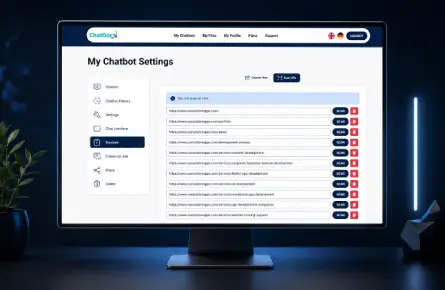
Train chatbots using PDFs,Word documents, text files,and website content.
AI Configuration
Customize prompts, AImodels, branding, themes,response behavior, andchatbot settings.
SaaS Administration
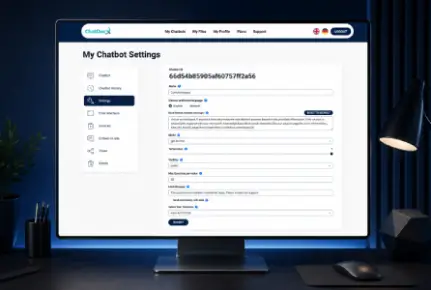
Manage users, subscriptions,billing, chatbots, customeraccounts, and platformoperations from one dashboard.
Deployment & Integration
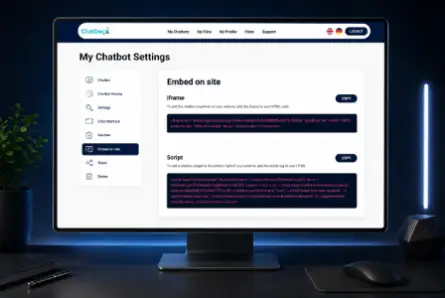
Deploy chatbots usingJavaScript or iframe,publish on websites orintranets, and secure themwith domain whitelisting.
How ChatDocX Works
Create Your Account
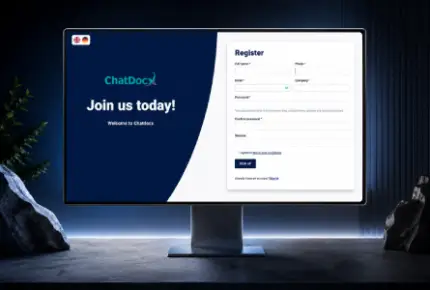
Register and access your AI chatbot dashboard within minutes.
Train Your AI Chatbot
Upload PDF, Word, TXT documents or crawl your website to build a searchable AI knowledge base.
Customize Your Assistant
Configure prompts, AI models, branding, themes, chatbot behavior, and business rules.
Deploy Anywhere
Embed your AI chatbot using JavaScript or iframe and start assisting visitors on your website or intranet.
What Our Client Experienced Working With Us

Mike Schwarz, CEO of a Switzerland-based company, shares his experience working with CumulativeApps on multiple software development projects, including VoiceRecord.me and ChatDocX, an AI chatbot SaaS platform. In his testimonial, he highlights our team's technical expertise, full-stack development capabilities, reliable project management, and collaborative approach, recommending CumulativeApps for custom software, AI chatbot, web, and mobile app development.
Have a Similar Project in Mind?
Whether you're launching a new company website, redesigning an See the services behind this project or, if you have something similar in mind, feel free to share your idea with us. Let’s explore the possibilities together.